
Deploy AWS Serverless Application Repository Apps with Terraform
What Is the AWS Serverless Application Repository?
The AWS Serverless Application Repository (SAR) is a managed catalogue of ready-to-deploy serverless applications. Think of it as an app store for Lambda-based tools — Athena connectors, log processors, notification handlers, and hundreds of other utilities published by AWS and the community.
Deploying a SAR app through the Console is straightforward. Doing it repeatably, in code, across environments — that’s where things get messy. Each SAR app deploys via a CloudFormation stack, and each has its own set of required parameters with no consistent schema.
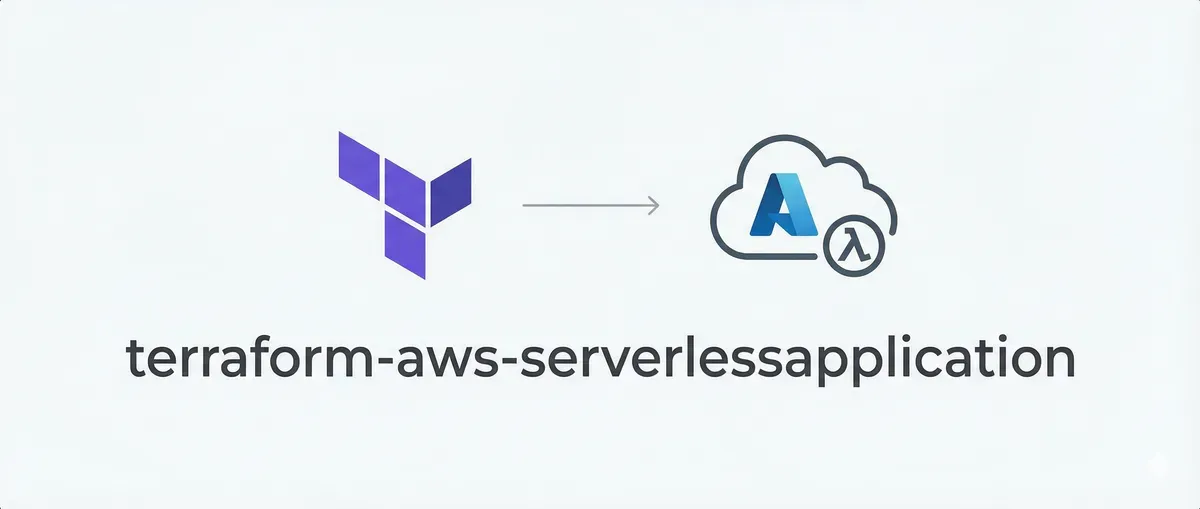
The terraform-aws-serverlessapplication module handles all of that: it fetches the app metadata, validates your parameters before Terraform even contacts CloudFormation, and deploys the stack.
How It Works
The module chains three things together:
SAR App ARN
    ↓
data "aws_serverlessapplicationrepository_application"  ← fetches app metadata
    ↓
data "http"  ← fetches CloudFormation template to extract required parameters
    ↓
locals { required_parameters, missing_parameters }  ← validates your inputs
    ↓
aws_cloudformation_stack  ← deploys only if validation passes
The clever part is in locals.tf. The module fetches the raw CloudFormation template over HTTP and decodes it to identify which parameters have no Default value — meaning they’re required. It then diffs that list against what you actually provided:
locals {
  required_parameters = {
    for k, v in yamldecode(data.http.this.response_body).Parameters : k => v
    if can(v.Default) == false
  }

  missing_parameters = [
    for k in keys(local.required_parameters) : k
    if !(contains(keys(var.parameters), k))
  ]
}
If missing_parameters is non-empty, a precondition block fails the plan with a clear error — before any CloudFormation stack is created. This is much faster feedback than waiting for a CloudFormation deployment to fail partway through.
Prerequisites
- Terraform
>= 1.0.11 - AWS Provider
>= 5.0 - HTTP Provider
>= 3.4.0
The HTTP provider is needed to fetch the CloudFormation template for parameter introspection.
Usage
The module needs just a name and the SAR application ARN. Additional parameters are passed as a plain map(string):
module "serverlessrepo" {
  source  = "KamranBiglari/serverlessapplication/aws"
  version = "~> 1.0"

  name           = "AthenaMySQLConnector"
  application_id = "arn:aws:serverlessrepo:us-east-1:292517598671:applications/AthenaMySQLConnector"

  parameters = {
    DefaultConnectionString = "jdbc:mysql://mydb.cluster-abc123.us-east-1.rds.amazonaws.com:3306/mydb"
    LambdaFunctionName      = "AthenaMySQLConnector"
    SecretNamePrefix        = "AthenaMySQL"
    SecurityGroupIds        = "sg-1234567890abcdef0"
    SubnetIds               = "subnet-12345678,subnet-87654321"
    SpillBucket             = "s3://my-athena-spill-bucket"
  }

  tags = {
    Environment = "prod"
    Team        = "data-platform"
  }
}
Input Variables
| Variable | Type | Required | Default | Description |
|---|---|---|---|---|
name | string | Yes | — | Name for the CloudFormation stack |
application_id | string | No | AthenaMySQLConnector ARN | Full SAR application ARN |
parameters | map(string) | No | {} | Application parameters |
tags | map(string) | No | {} | Tags applied to the CloudFormation stack |
create | bool | No | true | Set to false to disable deployment without removing the block |
The create flag follows the same pattern used in terraform-aws-modules — useful for toggling resources per environment without restructuring your code.
Outputs
output "stack_id"      { value = module.serverlessrepo.stack_id }
output "stack_name"    { value = module.serverlessrepo.stack_name }
output "stack_outputs" { value = module.serverlessrepo.stack_outputs }
stack_outputs gives you the CloudFormation output values, which typically include the Lambda function ARN and any other resources the SAR app creates — useful for wiring the deployed app into the rest of your infrastructure.
Real-World Example: Athena Federated Query Connectors
One of the most common SAR use cases is deploying Athena federated query connectors. AWS publishes ready-made connectors for MySQL, PostgreSQL, DynamoDB, Redis, and many other data sources — all available in SAR.
Without this module, deploying the MySQL connector repeatably in Terraform looks like this:
# Without the module — verbose and error-prone
resource "aws_cloudformation_stack" "athena_mysql" {
  name         = "AthenaMySQLConnector"
  capabilities = ["CAPABILITY_IAM", "CAPABILITY_RESOURCE_POLICY"]

  template_url = "https://s3.amazonaws.com/..."  # You have to find this manually

  parameters = {
    DefaultConnectionString = "jdbc:mysql://..."
    LambdaFunctionName      = "AthenaMySQLConnector"
    SecretNamePrefix        = "AthenaMySQL"
    SecurityGroupIds        = "sg-..."
    SubnetIds               = "subnet-..."
    SpillBucket             = "s3://..."
  }
}
You’d need to manually find the template URL, figure out which parameters are required, and discover missing ones only when CloudFormation fails mid-deploy.
With the module:
# With the module — ARN only, validation built in
module "athena_mysql" {
  source  = "KamranBiglari/serverlessapplication/aws"
  version = "~> 1.0"

  name           = "AthenaMySQLConnector"
  application_id = "arn:aws:serverlessrepo:us-east-1:292517598671:applications/AthenaMySQLConnector"

  parameters = {
    DefaultConnectionString = "jdbc:mysql://mydb.cluster-abc123.us-east-1.rds.amazonaws.com:3306/mydb"
    LambdaFunctionName      = "AthenaMySQLConnector"
    SecretNamePrefix        = "AthenaMySQL"
    SecurityGroupIds        = module.vpc.default_security_group_id
    SubnetIds               = join(",", module.vpc.private_subnets)
    SpillBucket             = "s3://${aws_s3_bucket.spill.bucket}"
  }
}

# Use the Lambda ARN in your Athena data catalog
resource "aws_athena_data_catalog" "mysql" {
  name        = "mysql-catalog"
  type        = "LAMBDA"
  description = "MySQL federated connector"

  parameters = {
    "function" = module.athena_mysql.stack_outputs["ConnectorFunc"]
  }
}
Finding SAR Application ARNs
You can browse available applications in the Serverless Application Repository, or search via the CLI:
# Search for Athena connectors
aws serverlessrepo search-applications \
  --search-keyword "athena" \
  --query "Applications[*].{Name:Name,ARN:ApplicationId}" \
  --output table

# Get details for a specific application
aws serverlessrepo get-application \
  --application-id arn:aws:serverlessrepo:us-east-1:292517598671:applications/AthenaMySQLConnector
The ApplicationId field from that output is what you pass as application_id in the module.
Source Code
The module is open source (Apache 2.0):
- GitHub: github.com/KamranBiglari/terraform-aws-serverlessapplication
- Terraform Registry:
KamranBiglari/serverlessapplication/aws
Wrapping Up
The AWS Serverless Application Repository is a genuinely useful but often overlooked service. Many teams deploy SAR apps manually through the Console and never bring them into Terraform — partly because the CloudFormation wrapping is awkward to manage by hand.
This module removes that friction. Point it at an ARN, pass your parameters, and get clean plan-time validation before anything is deployed. If you’re using Athena federated queries in particular, it’s a natural fit for managing all your connectors from a single Terraform config.